

Built like nothing else on WordPress.
WP Smart Consent isn't a "checkbox plugin." It's an opt-in routing engine that connects every checkout and form on your site to every CRM you might want to use, through their official APIs, with full GDPR compliance, even on cached pages. Here's everything it does.
No other WordPress plugin does this.
If you want a marketing opt-in checkbox on your WooCommerce checkout, there are five plugins that can do that. If you want one on FluentCart, there's one. SureCart? You'll write custom code. Want it on a contact form? Different plugin entirely. Want consent logged for GDPR? Yet another plugin.
And every one of those tools picks one destination: Mailchimp, or FluentCRM, or your webhook. None of them detect your visitor's country reliably on a cached page. None of them log opt-ins with enough detail to defend in an audit. None of them let you fan a single opt-in event out to thirteen cloud CRMs and six self-hosted WordPress CRMs simultaneously.
WP Smart Consent does all of it. One plugin. One toggle. Every source. Every destination. Built for WordPress shops that take consent seriously.
One checkbox. Seventeen source plugins.
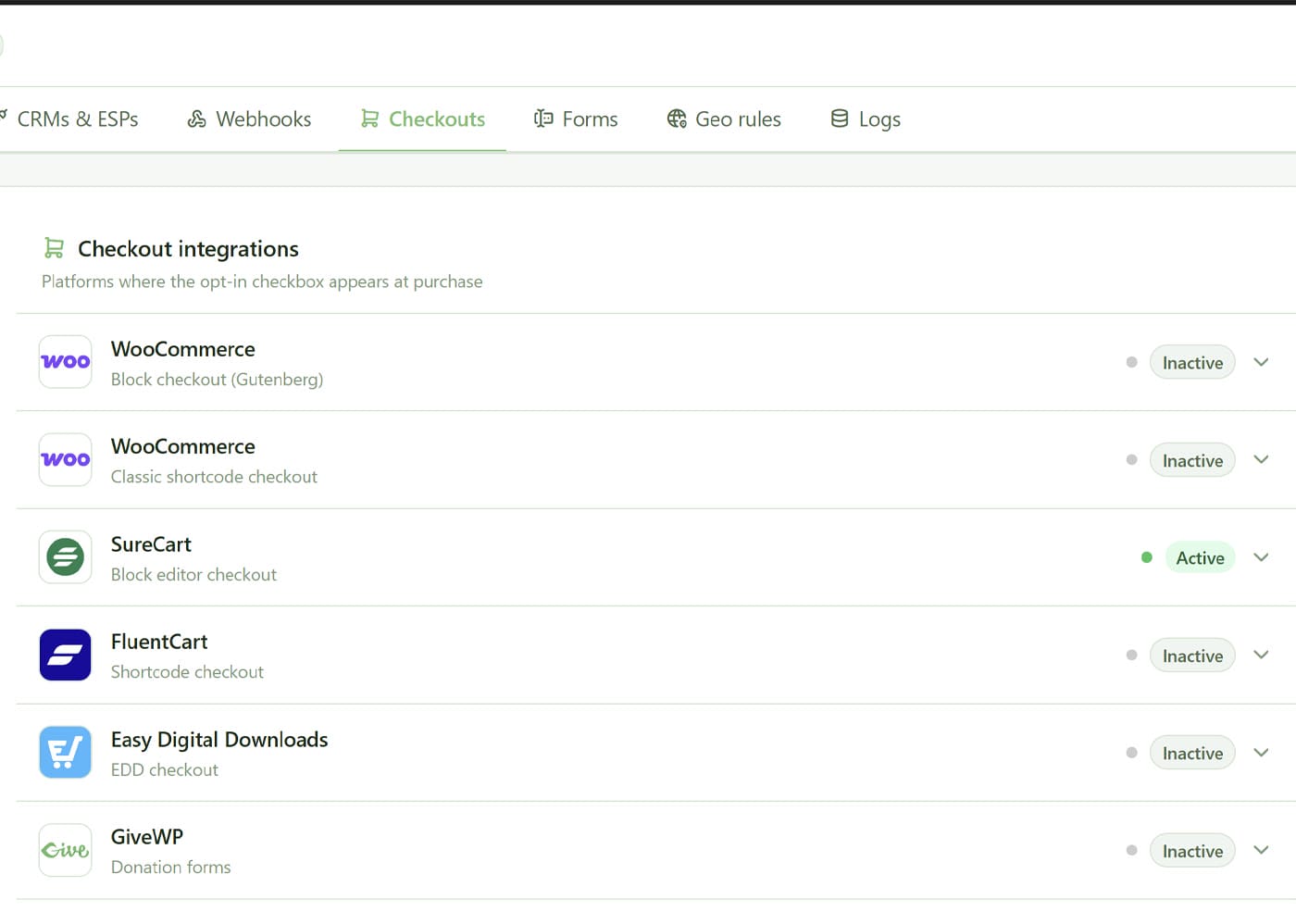
Most consent plugins work with one checkout system. WP Smart Consent works with all of them, and most of your form plugins too. The plugin detects what's installed on your site at runtime and registers itself with the appropriate hooks for each source.
Five ecommerce platforms: WooCommerce (both the Gutenberg Block checkout and the classic shortcode), FluentCart, SureCart, Easy Digital Downloads, and GiveWP. Twelve form plugins from SureForms to Contact Form 7. Each integration uses the platform's official extension API; IntegrationInterface for Woo Blocks, render_block for SureCart, srfm_form_submission_response for SureForms.
No "compatibility mode," no "best effort" rendering. Each source is first-class.
GDPR-compliant on cached pages.
Here’s a problem most consent plugins quietly ignore: if your site is behind a CDN, every visitor sees the same cached HTML. So how does the checkbox know whether to be pre-checked or unchecked based on where that visitor is from?
Most plugins guess. Or require WooCommerce and MaxMind. Or force you to disable caching entirely. WP Smart Consent solves it with five selectable geo strategies so you pick the approach that fits your infrastructure. If you’re on Cloudflare, Bunny.net, CloudFront, Fastly, Akamai, or KeyCDN, the country is already in a request header before PHP even runs, zero latency, zero cost. For sites that need US state detection, two hybrid modes combine CDN headers with freeipapi.com or IP2Location.io only where needed. And if you’re not behind a CDN, both APIs run on every request with full country and state detection.
Either way, the result is stored in a cookie so cached page visits skip detection entirely. No WooCommerce required. No MaxMind license. No turning off your cache.
Direct API. No middleman.
When a customer ticks the opt-in box, their email goes from your store directly to the destination service through that service's official PHP API. No proxy server. No third-party "connector" platform. No external rate limit.
This matters for three reasons: cost (no Zapier-style per-task fees), privacy (your customer data never touches a third party), and reliability (one fewer system that can be down between you and the CRM).
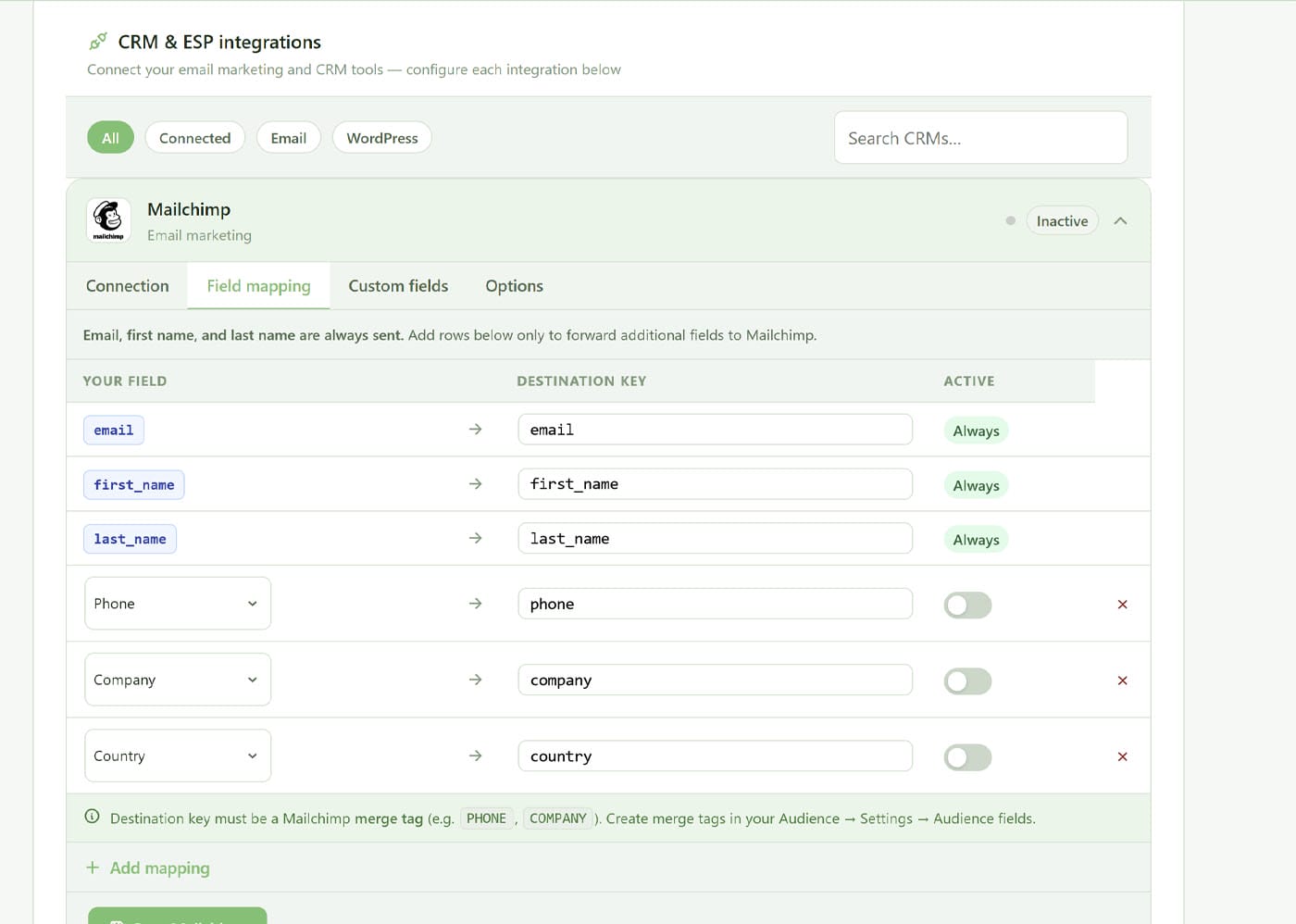
Thirteen cloud CRMs, six self-hosted WordPress CRMs, and a configurable webhook for anything else. Pick as many as you want, opt-ins fan out to all enabled destinations from a single event.
- 14 cloud: Mailchimp, Klaviyo, HubSpot, Brevo, MailerLite, Kit, ActiveCampaign, GetResponse, Omnisend, Moosend, Mailjet, Campaigner, Drip
- 6 WP-hosted: FluentCRM, MailPoet, Groundhogg, Mailster, Newsletter, MailerPress
- 1 webhook: Configurable URL, selectable payload fields
Defensible on audit day.
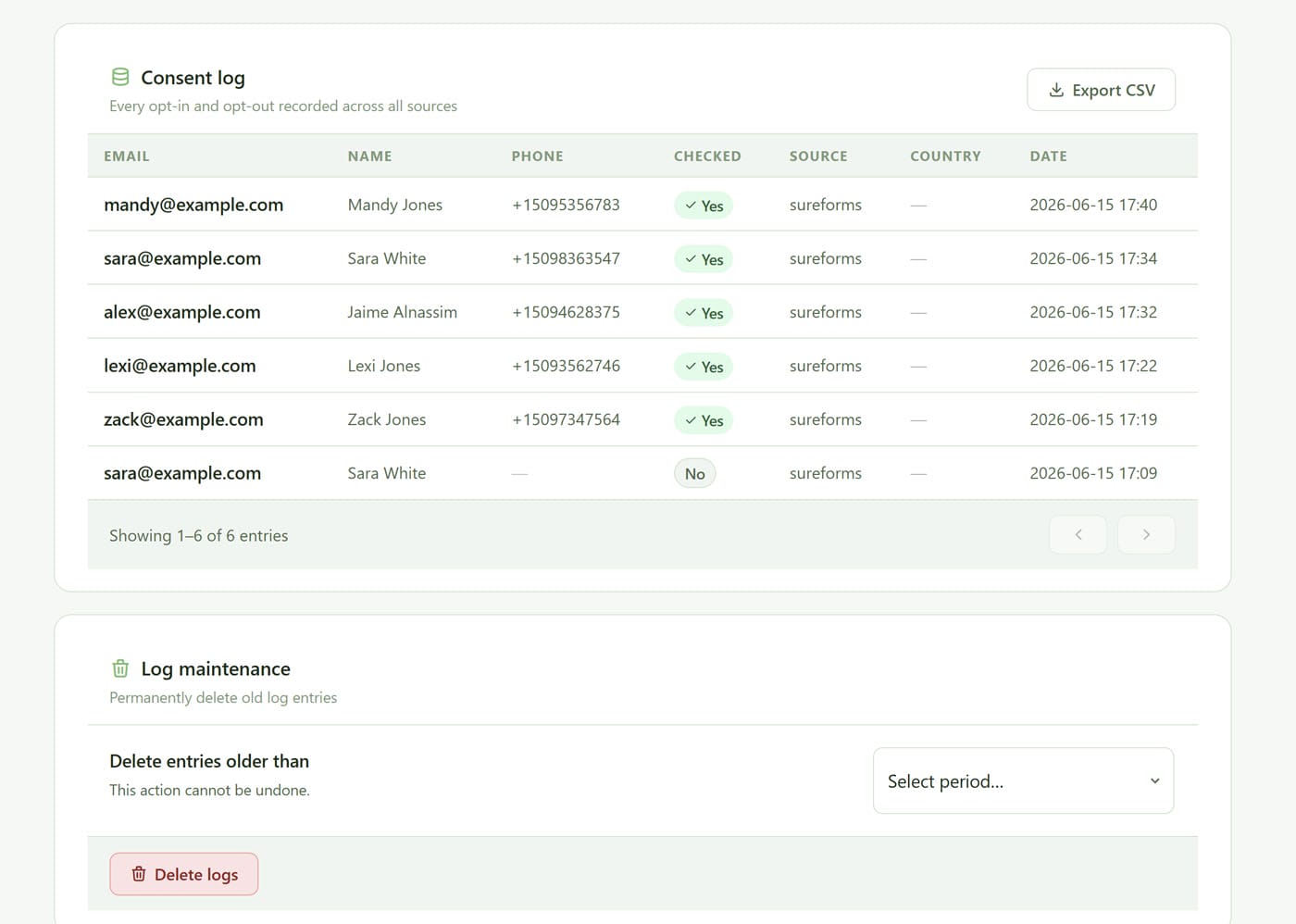
Every opt-in is recorded in a custom database table the moment it happens, with the customer's email, the source it came from (which checkout, which form), the timestamp, and the IP address. Not opted in? That's logged too, so you have a complete record of intent.
The dashboard gives you a paginated, filterable log table. Filter by source, filter by date range, search by email. Export everything to CSV with one click. There's also an analytics chart showing opt-ins over time at 1d / 7d / 30d / 90d / 360d ranges.
When the regulator asks "prove this person consented to marketing on March 14th," you have an answer in three clicks.
Newsletter mode. Or contact mode.
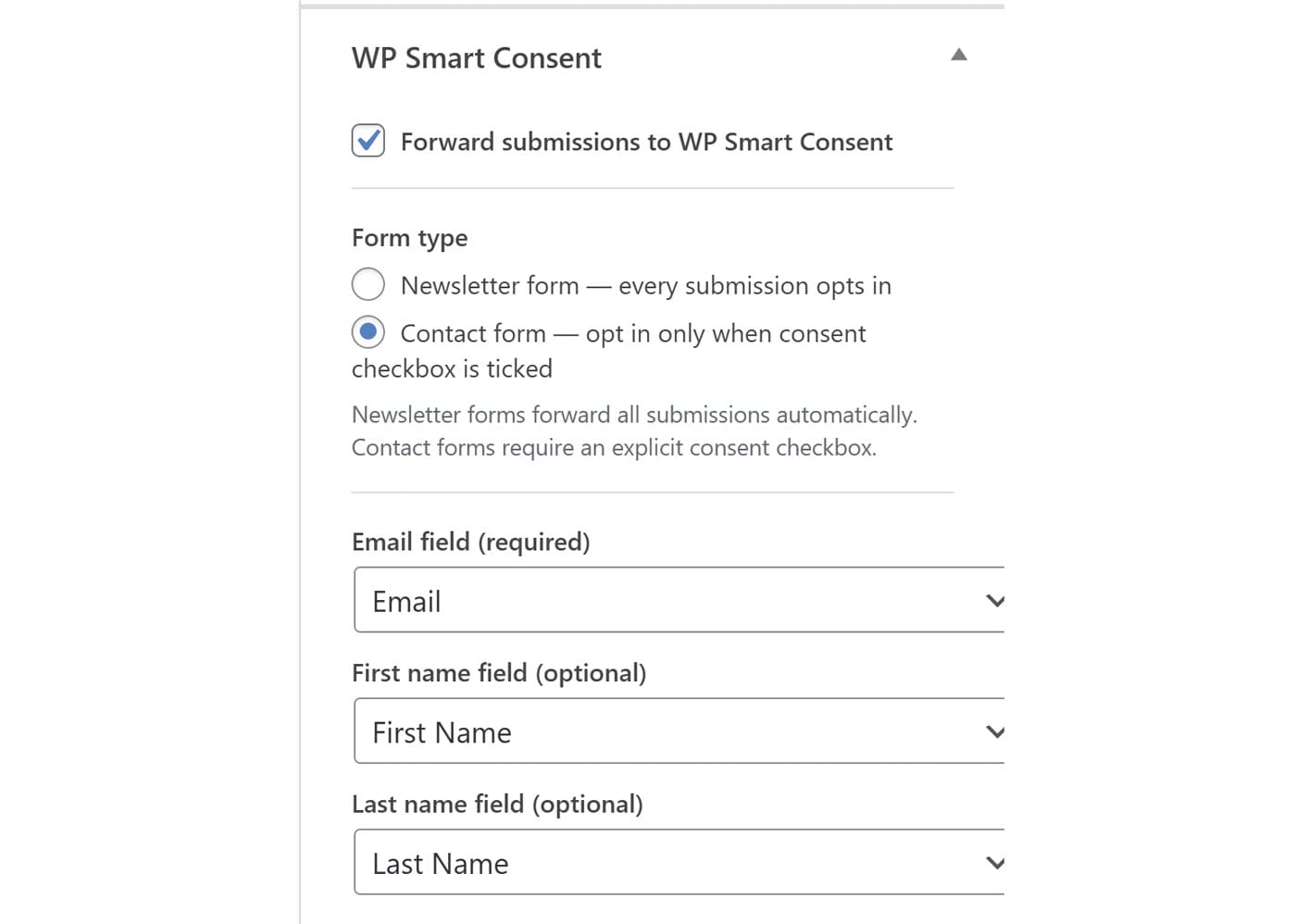
Forms are different from checkouts. A newsletter signup form is implicitly an opt-in, every submission should be added to your CRM. A contact form isn't, you only want to subscribe people who ticked a box.
WP Smart Consent lets you configure each individual form on your site as either Newsletter mode (every submission auto-subscribes) or Contact mode (a checkbox is injected above the submit button, only ticked submissions subscribe). Set it once per form, leave it alone forever.
Each of the twelve supported form plugins gets its own admin UI for this, a meta box on the form post for SureForms, a Builder panel for WPForms, a settings sub-menu for Gravity Forms, a native CF7 editor panel for Contact Form 7. Wherever your form lives, the toggle is right there.
Plus all the things you'd expect.
Translation-ready
Opt-in label translated into 30 languages out of the box. Auto-registers with WPML and Polylang as a translatable string.
Per-integration toggles
Enable or disable each of the 38 integrations independently without deactivating the plugin.
React admin dashboard
Modern, fast admin UI built in React. Drawers, search, filtering, dark-mode-aware.
Configurable webhook
Pick which fields to include in the webhook payload: email, name, country, phone, company, address, city, state, postcode.
RTL support
Full right-to-left layout support for Arabic, Hebrew, Persian, and other RTL languages.
SureCart licensing
Updates delivered through SureCart's licensing SDK. Your license, your control.
Pre-check toggle
Optionally pre-tick the checkbox for non-GDPR visitors only — never for visitors from GDPR-applicable countries.
Notifications drawer
In-dashboard notifications for plugin updates, new integrations, and important account changes.
CDN-aware cookie
The wpsc_geo cookie name is shown in settings so your CDN operator knows not to vary cache on it.
